Documentation Index

Fetch the complete documentation index at: https://docs.tracelit.io/llms.txt

Use this file to discover all available pages before exploring further.

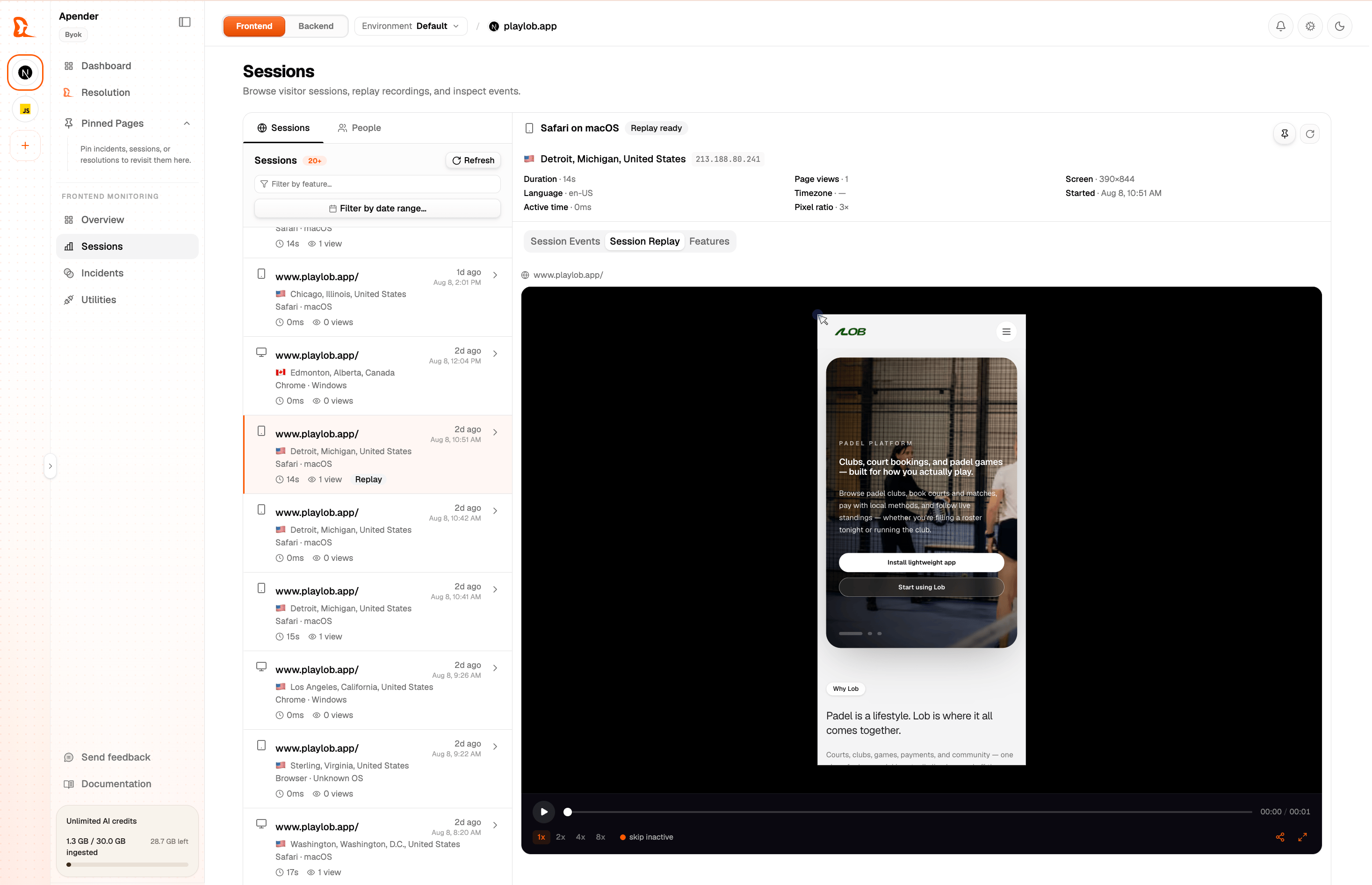
Session replay records the DOM state of your pages so you can play back any session like a video. You see exactly what the user saw: every scroll, click, hover, text input (never the values), and page change. Tracelit session replay player showing a user browsing through a checkout flow

How it works

Tracelit uses an open-source replay engine under the hood to record a compressed snapshot of your DOM and the mutations that happen to it over time. This is streamed to Tracelit’s servers in the background during the session. The replay player in your dashboard reconstructs those snapshots and plays them back frame by frame — no actual screen capture, no video file, and no performance hit on your users.
The replay engine loads 1.5 seconds after window.load, not at page load — so replay never affects your performance metrics.

Recording modes

Control how much gets recorded with the replay.mode option in your init() config:
ModeWhat it does
'always'Record every session from start to finish (default)
'trigger'Only record when you call startReplay() — useful for high-traffic sites
'off'Disable replay entirely
import { init } from '@tracelit/tracker'

// Always record (default)
init({ token: 'YOUR_TOKEN_HERE' })

// Only record specific flows
init({
  token: 'YOUR_TOKEN_HERE',
  replay: { mode: 'trigger' }
})

// Disable replay
init({
  token: 'YOUR_TOKEN_HERE',
  replay: { mode: 'off' }
})

Block sensitive content

Some elements should never appear in replays — forms with personal data, admin panels, payment widgets. Block an element — replaced with a placeholder box in the recording:
<div class="tl-block">
  <!-- This content is never recorded -->
  <input type="text" placeholder="Credit card number" />
</div>
Ignore an element — excluded from click and interaction tracking, but still visible in replay:
<button class="tl-ignore">This button won't track clicks</button>
All <input type="password"> fields are always blocked at the DOM level, automatically. You don’t need to add tl-block to password fields.

Block entire pages

Use the blocklist option to pause recording on specific paths — for example, an admin panel or a page with sensitive health information:
init({
  token: 'YOUR_TOKEN_HERE',
  replay: {
    blocklist: ['/admin', '/settings/billing', '/health-records']
  }
})
Recording automatically resumes when the user navigates to a non-blocked page.

Idle and duration limits

By default, Tracelit stops recording if the user is inactive for 5 minutes, and cuts off any session at 45 minutes regardless. You can tune these:
init({
  token: 'YOUR_TOKEN_HERE',
  replay: {
    idleTimeoutMs: 120000,   // pause after 2 minutes of inactivity
    maxDurationMs: 1800000   // hard stop after 30 minutes
  }
})

Sample rate

On high-traffic sites you may not need to record every session. Use sampleRate to record a fraction:
init({
  token: 'YOUR_TOKEN_HERE',
  replay: {
    sampleRate: 0.25  // record 25% of sessions
  }
})

Use this AI prompt

Implement Tracelit session replay in my project.

Requirements:
1) Ensure Tracelit is initialized with my token: YOUR_TOKEN_HERE.
2) Set replay mode to 'always' (or explain if 'trigger' is better for this project).
3) Add blocklist paths for sensitive pages: /admin and /settings/billing.
4) Keep password and sensitive form areas protected (use tl-block where needed).
5) Make only minimal changes.
6) Show me exactly which files changed.
7) Give me a 30-second verification checklist in the Tracelit dashboard.

Live analytics inside session replay

Live analytics is built into replay workflows. In the Sessions view, you can monitor active users and immediately jump into their replay timeline when needed. From session replay, you can:
  • See who is active right now
  • Open the exact session that triggered an error
  • Correlate behavior, errors, and feature tags in one timeline
  • Prioritize issues by affected-user count and replay evidence
This keeps live monitoring and replay in one place, so you are not jumping between separate tools.

Next up

Tag features in replay

Mark specific flows like checkout or onboarding so you can jump directly to them in any recording.