

Connect GitHub
1
Install the Tracelit GitHub App
Go to Settings → Integrations → GitHub and click Install GitHub App. Authorize Tracelit to access the repositories you want to connect.
2
Link a repo in Utilities
Select the site or service, open Utilities → Repository, link the repo, and map Development / Production branches.
3
Enable resolution gates
Under Utilities → Environment, turn on Allow resolutions (and code analysis for backend services) for the environments you trust.
How the fix flow works
1
Incident opens
An error spike, new exception, or anomaly is detected and an incident is created.
2
Context gathering
Tracelit pulls the triggering trace, stack trace, and relevant source files from your linked repo.
3
Fix generation
The AI analyzes the root cause and produces the smallest safe diff needed to resolve it.
4
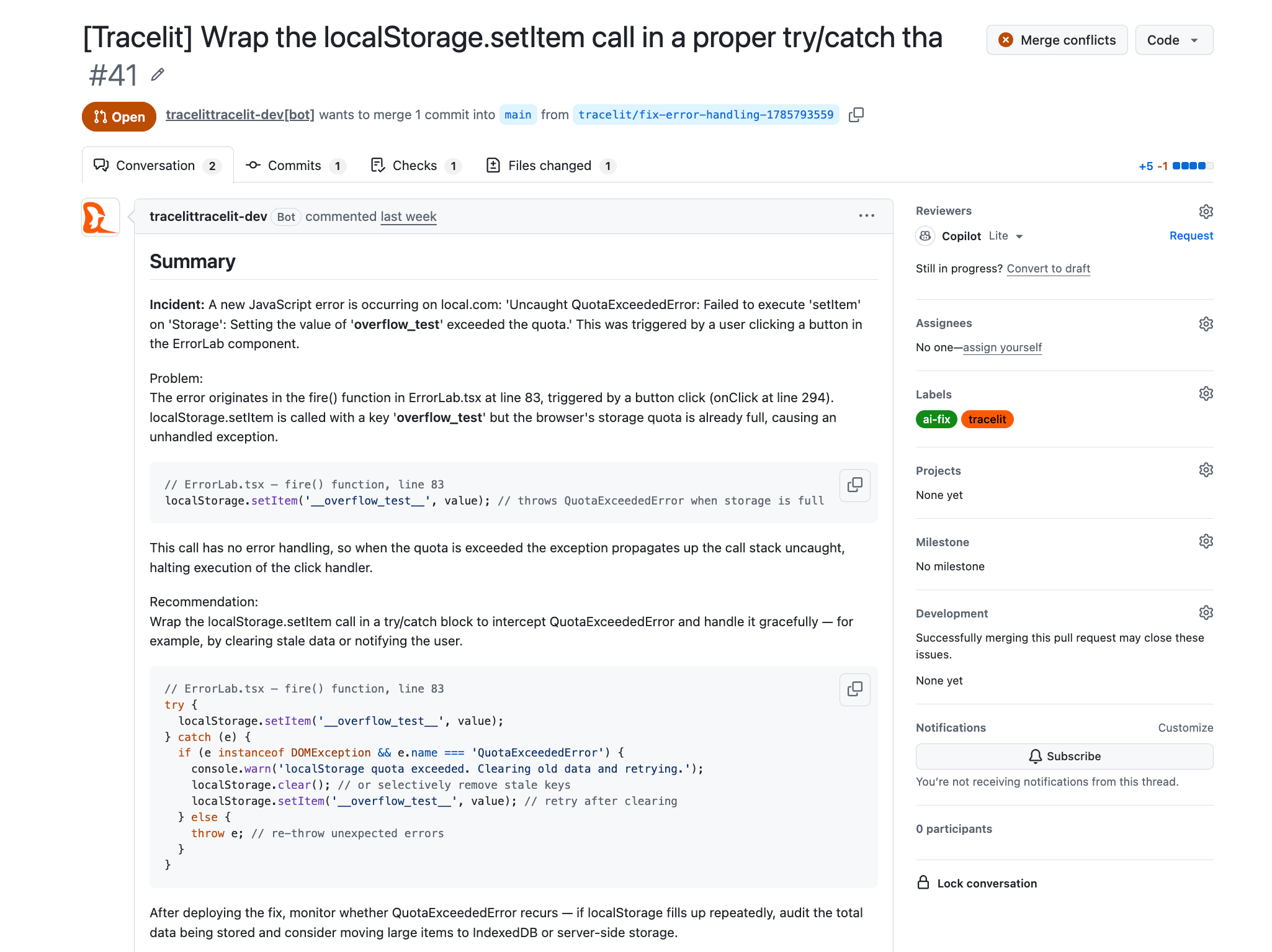
Pull request opened
A PR is opened on a fresh branch with the diff, a root-cause summary, a confidence score, and a link to the incident and trace.
5
Review or auto-merge
You review and merge the PR normally, or enable auto-merge to let Tracelit merge automatically once CI passes and confidence meets your threshold.
Tracelit never pushes directly to your default branch. Every fix lands on a separate branch and goes through your normal PR process.
Auto-merge
Auto-merge lets Tracelit close the loop entirely for high-confidence fixes. Configure it per service:
Branch protection rules and required checks are always respected — auto-merge queues behind them, it does not bypass them.
PR webhook reconciliation
Tracelit listens to GitHub webhook events on your linked repositories. The incident and resolution job update automatically as you work:Manual fix
You can also trigger a fix manually from any open incident — useful when auto-triggering is off or you want to re-generate a fix after changing code:- Open the incident in Observability → Incidents
- Click Create fix
- Tracelit queues a new resolution job and opens a PR within minutes