Documentation Index

Fetch the complete documentation index at: https://docs.tracelit.io/llms.txt

Use this file to discover all available pages before exploring further.

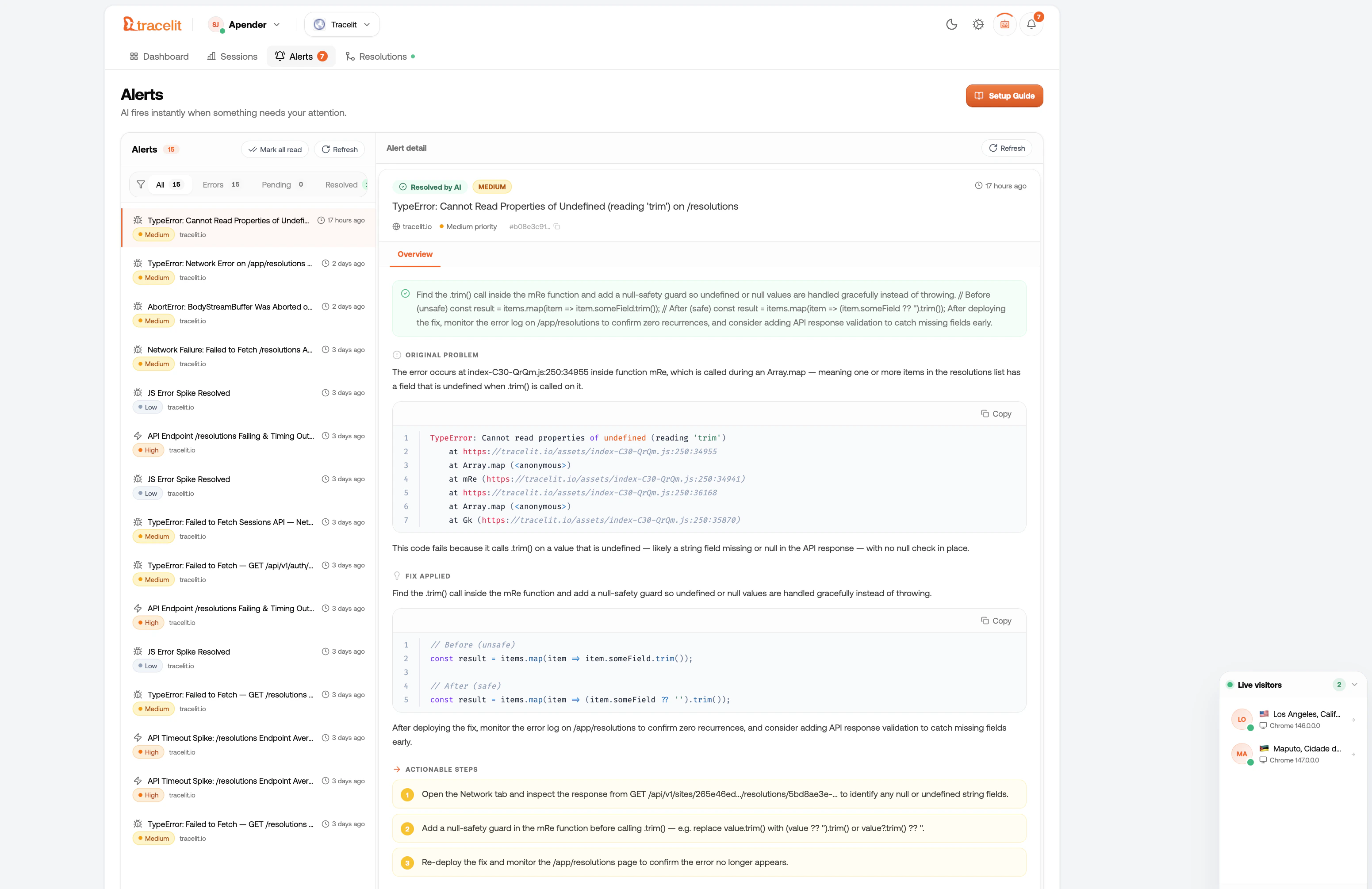
Tracelit catches errors automatically the moment you install the tracker. No configuration needed. Every error appears in your dashboard with the full context: what happened, when, which user, and a one-click link to the session replay at the exact moment the error occurred. Tracelit dashboard error tracking view showing a list of errors with session replay links

What Tracelit catches

Error typeExample
runtimeUncaught TypeError, ReferenceError, any thrown exception
promiseUnhandled Promise.reject()
apiFetch or XHR returning 4xx / 5xx
api_slowAny request taking longer than 3 seconds
api_networkFetch / XHR that fails to connect entirely
graphqlGraphQL 200 response with an errors array in the body
console_errorAnything logged with console.error() (opt-in)
resourceBroken images, missing fonts, failed script loads
network_offlineBrowser goes offline mid-session
websocketWebSocket connection failures or abnormal closure
long_taskMain thread blocked 150ms+ (with source attribution)
memoryDevice heap approaching limit (Chrome only)

Capture console.error (opt-in)

By default, console.error calls are not sent to Tracelit. Enable it with one option:
import { init } from '@tracelit/tracker'

init({
  token: 'YOUR_TOKEN_HERE',
  monitorConsole: true   // capture console.error and console.warn
})
Only enable this if you’re intentional about what gets logged with console.error. Avoid logging sensitive data — treat it as if it’s always visible.

View errors in the dashboard

From the Errors tab in your dashboard you can:
  • See error frequency over time (how often, how many users affected)
  • Filter by error type, page, or user
  • Click any error to see the full stack trace
  • Click Watch session to open the replay and jump to the exact moment the error fired

Debug mode

During development, turn on debug: true to see every captured event — including errors — logged to the browser console:
import { init } from '@tracelit/tracker'

init({
  token: 'YOUR_TOKEN_HERE',
  debug: true   // remove before going to production
})

No extra setup needed

Every error type in the table above is captured automatically. Tracelit monkey-patches fetch, XMLHttpRequest, history.pushState, WebSocket, and console.error (if enabled) to intercept failures at the source. When you call destroy(), all patches are cleanly removed and the originals are restored.

Use this AI prompt

Set up Tracelit error tracking in my project and make it production-safe.

Requirements:
1) Initialize Tracelit with my token: YOUR_TOKEN_HERE.
2) Enable monitorConsole only if needed and explain the tradeoff.
3) Make sure runtime errors, API errors, and unhandled promises are captured.
4) Add safe guidance so sensitive data is never logged to console.error.
5) Keep edits minimal.
6) Show changed files and explain how to test with one forced JS error and one failed API request.