Documentation Index
Fetch the complete documentation index at: https://docs.tracelit.io/llms.txt
Use this file to discover all available pages before exploring further.
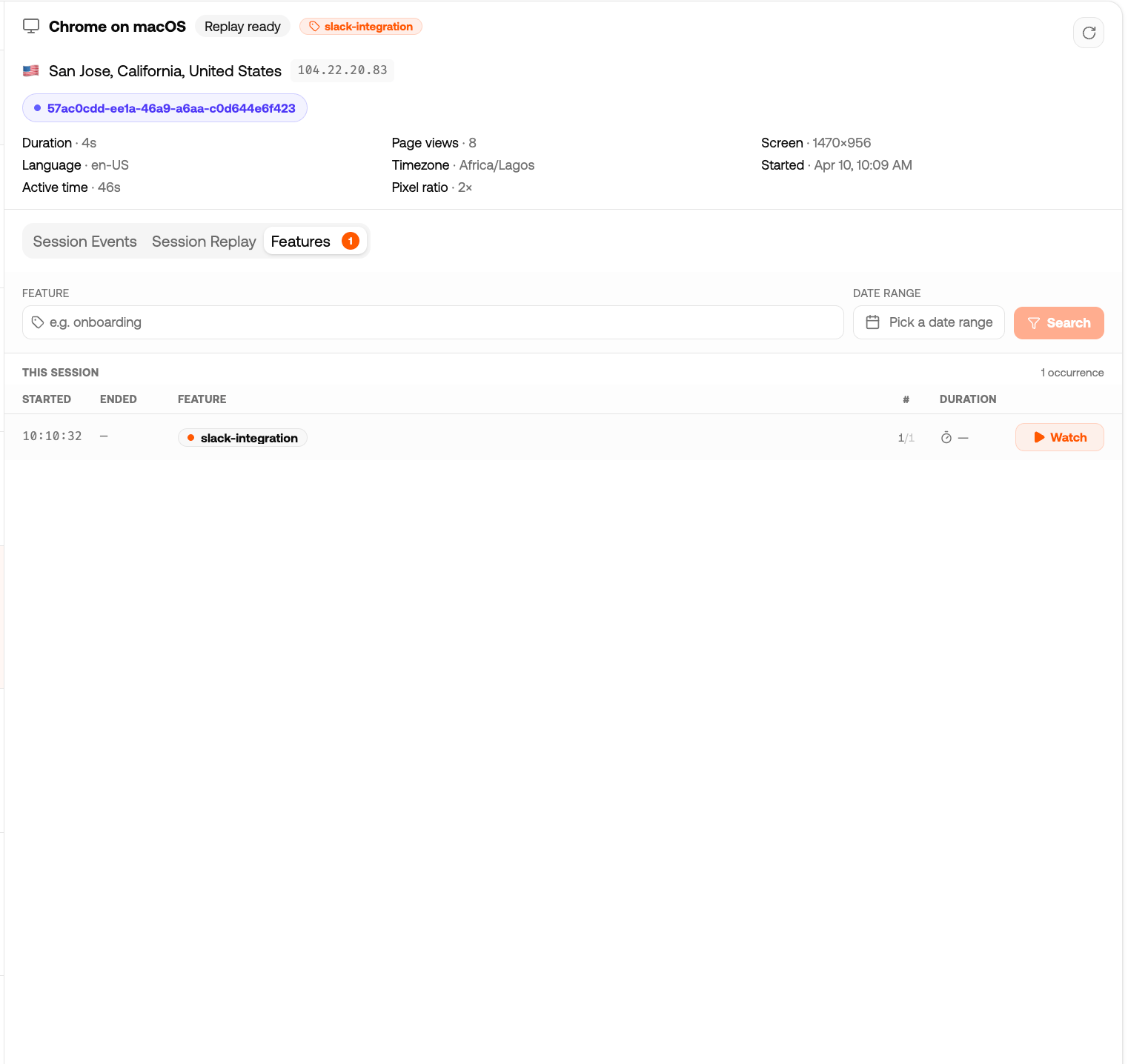
Feature tagging lets you annotate session replays with named markers. When a user hits your checkout flow, onboarding wizard, or any other important flow, you call startReplay('checkout') — and in the dashboard you’ll see every session tagged with checkout, with a clickable timestamp that jumps the player to that exact moment.
Basic usage
import { startReplay, stopReplay } from '@tracelit/tracker'
// Mark the start of a feature
startReplay('checkout')
// Mark the end
stopReplay('checkout')
You can use any string as a feature name — keep them short and descriptive:
startReplay('onboarding')
startReplay('payment-flow')
startReplay('settings-update')
startReplay('trial-upgrade')
React example — tag a component lifecycle
The most natural place to call these in React is inside a useEffect in the component that represents the flow:
import { useEffect } from 'react'
import { startReplay, stopReplay } from '@tracelit/tracker'
function CheckoutFlow() {
useEffect(() => {
startReplay('checkout')
return () => stopReplay('checkout') // called when user leaves
}, [])
return <CheckoutSteps />
}
When the user mounts CheckoutFlow, a checkout tag appears in the session. When they leave (or the component unmounts), the tag closes. In the dashboard you’ll see the exact duration they spent in checkout.
Next.js example — tag a page or route group
// app/checkout/layout.tsx
'use client'
import { useEffect } from 'react'
import { startReplay, stopReplay } from '@tracelit/tracker'
export default function CheckoutLayout({ children }: { children: React.ReactNode }) {
useEffect(() => {
startReplay('checkout')
return () => stopReplay('checkout')
}, [])
return <>{children}</>
}
You can have multiple active tags at once — Tracelit stacks them:
startReplay('checkout')
startReplay('upsell-offer') // user sees an upsell mid-checkout
// Later...
stopReplay('upsell-offer') // upsell dismissed, still in checkout
stopReplay('checkout') // checkout complete
Check what’s currently active:
import { getActiveFeatures } from '@tracelit/tracker'
console.log(getActiveFeatures())
// → ['checkout', 'upsell-offer']
Trigger mode + feature tagging
If you set replay.mode: 'trigger', recording only starts when you call startReplay(). This is useful on high-traffic sites where you only want recordings of specific flows:
import { init, startReplay, stopReplay } from '@tracelit/tracker'
init({
token: 'YOUR_TOKEN_HERE',
replay: { mode: 'trigger' } // record nothing until startReplay() is called
})
// Somewhere in your checkout component:
startReplay('checkout') // recording begins here
stopReplay('checkout') // recording pauses here
If all features are stopped, the pipeline flushes and recording pauses until the next startReplay() call.
API reference
| Function | Description |
|---|
startReplay(feature?) | Start a named feature segment. Injects a tl:feature_start marker into the recording. |
stopReplay(feature?) | End a named feature segment. Injects a tl:feature_end marker. |
getActiveFeatures() | Returns an array of currently active feature tag strings. |
Use this AI prompt
Add Tracelit feature tagging in my project.
Requirements:
1) Tag my main product flows with startReplay()/stopReplay(), including: onboarding, checkout, and settings-update.
2) In React/Next components, start on mount and stop on unmount.
3) Avoid duplicate tags and keep names consistent.
4) Keep code changes minimal and production-safe.
5) Show exactly which files you changed.
6) Add a quick test plan for verifying tags appear in Tracelit replay.