> ## Documentation Index
> Fetch the complete documentation index at: https://docs.tracelit.io/llms.txt
> Use this file to discover all available pages before exploring further.
# Quickstart
> Get Tracelit running on a frontend site or a backend service in minutes. Framework snippets, OpenTelemetry in code, and the environment rules that matter.
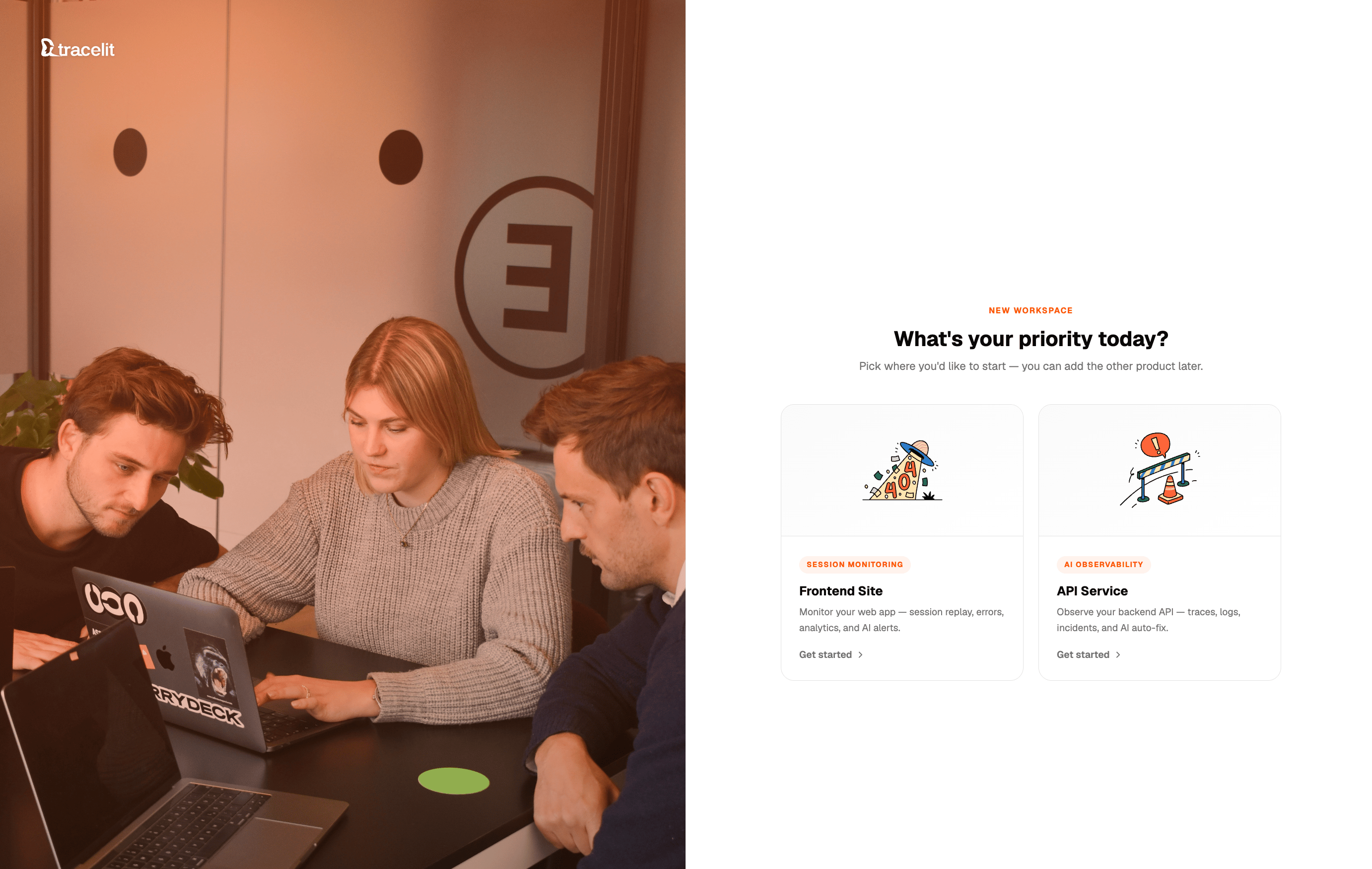 *Pick a path. Frontend = **Sites**. Backend = **Services**. Same workspace either way.*
**Environment is not optional.** Wrong values get dropped or mis-tagged.
| Surface | Field | Allowed values |
| ---------------------------- | ------------------------ | ------------------------------------ |
| **Sites** (tracker) | `environment` | `development`, `production` |
| **Services** (OpenTelemetry) | `deployment.environment` | `local`, `development`, `production` |
Sites default to `development` if omitted. Services must set `deployment.environment` explicitly in the resource attributes.
***
## Frontend
Same choice as in the Tracelit app when you add a site: **I'm an engineer** (paste code) or **I'm a vibe coder** (paste a prompt into your AI).
*Pick a path. Frontend = **Sites**. Backend = **Services**. Same workspace either way.*
**Environment is not optional.** Wrong values get dropped or mis-tagged.
| Surface | Field | Allowed values |
| ---------------------------- | ------------------------ | ------------------------------------ |
| **Sites** (tracker) | `environment` | `development`, `production` |
| **Services** (OpenTelemetry) | `deployment.environment` | `local`, `development`, `production` |
Sites default to `development` if omitted. Services must set `deployment.environment` explicitly in the resource attributes.
***
## Frontend
Same choice as in the Tracelit app when you add a site: **I'm an engineer** (paste code) or **I'm a vibe coder** (paste a prompt into your AI).
 Install `@tracelit/tracker` (or the script tag), pass your **site token**, and always set `environment` to `development` or `production`.
```bash theme={null}
npm install @tracelit/tracker
```
Install `@tracelit/tracker` (or the script tag), pass your **site token**, and always set `environment` to `development` or `production`.
```bash theme={null}
npm install @tracelit/tracker
```
 Paste in `` — no npm required:
```html theme={null}
```
Full guide: [Script tag](/installation/script-tag)
```tsx theme={null}
// src/main.tsx or src/App.tsx
import { init } from '@tracelit/tracker'
init({
token: 'YOUR_SITE_TOKEN',
environment: 'production', // or "development"
})
```
Full guide: [React](/installation/react)
```tsx theme={null}
// components/Tracelit.tsx
'use client'
import { useEffect } from 'react'
import { init } from '@tracelit/tracker'
export function Tracelit() {
useEffect(() => {
init({
token: 'YOUR_SITE_TOKEN',
environment: 'production', // or "development"
})
}, [])
return null
}
```
Mount `` in `app/layout.tsx`.
Full guide: [Next.js App Router](/installation/nextjs-app-router)
```tsx theme={null}
// pages/_app.tsx
import { useEffect } from 'react'
import { init } from '@tracelit/tracker'
import type { AppProps } from 'next/app'
export default function App({ Component, pageProps }: AppProps) {
useEffect(() => {
init({
token: 'YOUR_SITE_TOKEN',
environment: 'production', // or "development"
})
}, [])
return
}
```
Full guide: [Next.js Pages Router](/installation/nextjs-pages-router)
```ts theme={null}
// src/main.ts
import { createApp } from 'vue'
import { init } from '@tracelit/tracker'
import App from './App.vue'
init({
token: 'YOUR_SITE_TOKEN',
environment: 'production', // or "development"
})
createApp(App).mount('#app')
```
Full guide: [Vue 3](/installation/vue)
```svelte theme={null}
```
Full guide: [Svelte / SvelteKit](/installation/svelte)
```ts theme={null}
// src/app/app.component.ts
import { Component, OnInit } from '@angular/core'
import { init } from '@tracelit/tracker'
@Component({
selector: 'app-root',
templateUrl: './app.component.html',
})
export class AppComponent implements OnInit {
ngOnInit() {
init({
token: 'YOUR_SITE_TOKEN',
environment: 'production', // or "development"
})
}
}
```
Full guide: [Angular](/installation/angular)
Paste in `` — no npm required:
```html theme={null}
```
Full guide: [Script tag](/installation/script-tag)
```tsx theme={null}
// src/main.tsx or src/App.tsx
import { init } from '@tracelit/tracker'
init({
token: 'YOUR_SITE_TOKEN',
environment: 'production', // or "development"
})
```
Full guide: [React](/installation/react)
```tsx theme={null}
// components/Tracelit.tsx
'use client'
import { useEffect } from 'react'
import { init } from '@tracelit/tracker'
export function Tracelit() {
useEffect(() => {
init({
token: 'YOUR_SITE_TOKEN',
environment: 'production', // or "development"
})
}, [])
return null
}
```
Mount `` in `app/layout.tsx`.
Full guide: [Next.js App Router](/installation/nextjs-app-router)
```tsx theme={null}
// pages/_app.tsx
import { useEffect } from 'react'
import { init } from '@tracelit/tracker'
import type { AppProps } from 'next/app'
export default function App({ Component, pageProps }: AppProps) {
useEffect(() => {
init({
token: 'YOUR_SITE_TOKEN',
environment: 'production', // or "development"
})
}, [])
return
}
```
Full guide: [Next.js Pages Router](/installation/nextjs-pages-router)
```ts theme={null}
// src/main.ts
import { createApp } from 'vue'
import { init } from '@tracelit/tracker'
import App from './App.vue'
init({
token: 'YOUR_SITE_TOKEN',
environment: 'production', // or "development"
})
createApp(App).mount('#app')
```
Full guide: [Vue 3](/installation/vue)
```svelte theme={null}
```
Full guide: [Svelte / SvelteKit](/installation/svelte)
```ts theme={null}
// src/app/app.component.ts
import { Component, OnInit } from '@angular/core'
import { init } from '@tracelit/tracker'
@Component({
selector: 'app-root',
templateUrl: './app.component.html',
})
export class AppComponent implements OnInit {
ngOnInit() {
init({
token: 'YOUR_SITE_TOKEN',
environment: 'production', // or "development"
})
}
}
```
Full guide: [Angular](/installation/angular)
 Paste this into Cursor, Claude, ChatGPT, Bolt, Lovable, or Replit. Replace the token first.
```text theme={null}
Install Tracelit in my project.
Framework:
Site token: YOUR_SITE_TOKEN
Environment: production
Rules:
1) If this is a JS framework, install @tracelit/tracker and call init({ token, environment }) in the app root/entry (or Client Component for Next App Router).
2) environment must be exactly "production" or "development".
3) If plain HTML / HTML5, add the Tracelit script in with token and environment on __tl (cdn.tracelit.app/t.js).
4) Keep changes minimal. Show changed files and a 30-second verify checklist.
```
Prefer the in-app path? Add a site in Tracelit and choose **I'm a vibe coder** — you'll get the same style of prompt with your token filled in.
### Verify (frontend)
Open the site, click around, then check the Tracelit app:
* Live visitor under the site
* A new session in **Sessions**
* Page views / clicks appearing
***
## Backend
Same choice when you add a service in the app: **I'm an engineer** (recipe in code) or **I'm a vibe coder** (AI prompt).
Protocol must be `http/protobuf`. gRPC exporters will fail silently against Tracelit ingest.
Set `deployment.environment` to exactly one of: `local`, `development`, `production`.
You still need your **ingest key** from the service's **Utilities → Environment**. Export **traces and logs** — traces-only never passes the connection check.
| Setting | Value |
| ------------ | ---------------------------------------- |
| Endpoint | `https://ingest.tracelit.app` |
| Protocol | `http/protobuf` |
| Auth header | `Authorization=Bearer ` |
| Service name | your service name (e.g. `payments-api`) |
| Environment | `local` \| `development` \| `production` |
Point OpenTelemetry at Tracelit **in code** — no shell `OTEL_*` vars required for a quickstart.
```bash theme={null}
npm install @opentelemetry/sdk-node @opentelemetry/api \
@opentelemetry/auto-instrumentations-node \
@opentelemetry/exporter-trace-otlp-proto \
@opentelemetry/exporter-logs-otlp-proto \
@opentelemetry/sdk-logs @opentelemetry/resources
```
```js theme={null}
// tracelit-otel.cjs — load before your app
const { NodeSDK } = require('@opentelemetry/sdk-node')
const { resourceFromAttributes } = require('@opentelemetry/resources')
const { OTLPTraceExporter } = require('@opentelemetry/exporter-trace-otlp-proto')
const { OTLPLogExporter } = require('@opentelemetry/exporter-logs-otlp-proto')
const { BatchLogRecordProcessor } = require('@opentelemetry/sdk-logs')
const { getNodeAutoInstrumentations } = require('@opentelemetry/auto-instrumentations-node')
const endpoint = 'https://ingest.tracelit.app'
const headers = { Authorization: 'Bearer ' }
const sdk = new NodeSDK({
resource: resourceFromAttributes({
'service.name': 'payments-api',
'deployment.environment': 'production', // local | development | production
}),
traceExporter: new OTLPTraceExporter({ url: `${endpoint}/v1/traces`, headers }),
logRecordProcessor: new BatchLogRecordProcessor(
new OTLPLogExporter({ url: `${endpoint}/v1/logs`, headers })
),
instrumentations: [getNodeAutoInstrumentations()],
})
sdk.start()
```
Start with: `NODE_OPTIONS="--require ./tracelit-otel.cjs" node server.js`
Full guide: [Node.js OpenTelemetry](/otel/node)
```bash theme={null}
go get go.opentelemetry.io/otel@latest
go get go.opentelemetry.io/otel/sdk@latest
go get go.opentelemetry.io/otel/exporters/otlp/otlptrace/otlptracehttp@latest
go get go.opentelemetry.io/otel/exporters/otlp/otlplog/otlploghttp@latest
go get go.opentelemetry.io/otel/sdk/log@latest
go get go.opentelemetry.io/otel/sdk/resource@latest
```
In `main`, build resource + OTLP HTTP exporters in code:
```go theme={null}
res, _ := resource.Merge(
resource.Default(),
resource.NewWithAttributes(
semconv.SchemaURL,
semconv.ServiceName("payments-api"),
semconv.DeploymentEnvironmentName("production"), // local | development | production
),
)
traceExp, _ := otlptracehttp.New(ctx,
otlptracehttp.WithEndpoint("ingest.tracelit.app"),
otlptracehttp.WithURLPath("/v1/traces"),
otlptracehttp.WithHeaders(map[string]string{
"Authorization": "Bearer ",
}),
)
logExp, _ := otlploghttp.New(ctx,
otlploghttp.WithEndpoint("ingest.tracelit.app"),
otlploghttp.WithURLPath("/v1/logs"),
otlploghttp.WithHeaders(map[string]string{
"Authorization": "Bearer ",
}),
)
// Wire TracerProvider + LoggerProvider with res, then bridge slog/zap/logrus
```
Full guide: [Go OpenTelemetry](/otel/go)
```bash theme={null}
python -m pip install opentelemetry-sdk opentelemetry-exporter-otlp-proto-http \
opentelemetry-instrumentation
```
```python theme={null}
from opentelemetry import trace
from opentelemetry.sdk.resources import Resource
from opentelemetry.sdk.trace import TracerProvider
from opentelemetry.sdk.trace.export import BatchSpanProcessor
from opentelemetry.exporter.otlp.proto.http.trace_exporter import OTLPSpanExporter
from opentelemetry.sdk._logs import LoggerProvider, LoggingHandler
from opentelemetry.sdk._logs.export import BatchLogRecordProcessor
from opentelemetry.exporter.otlp.proto.http._log_exporter import OTLPLogExporter
from opentelemetry._logs import set_logger_provider
import logging
resource = Resource.create({
"service.name": "payments-api",
"deployment.environment": "production", # local | development | production
})
headers = {"Authorization": "Bearer "}
endpoint = "https://ingest.tracelit.app"
tp = TracerProvider(resource=resource)
tp.add_span_processor(BatchSpanProcessor(OTLPSpanExporter(
endpoint=f"{endpoint}/v1/traces", headers=headers
)))
trace.set_tracer_provider(tp)
lp = LoggerProvider(resource=resource)
lp.add_log_record_processor(BatchLogRecordProcessor(OTLPLogExporter(
endpoint=f"{endpoint}/v1/logs", headers=headers
)))
set_logger_provider(lp)
logging.getLogger().addHandler(LoggingHandler(logger_provider=lp))
```
Full guide: [Python OpenTelemetry](/otel/python)
```bash theme={null}
curl -sSL -o opentelemetry-javaagent.jar \
https://github.com/open-telemetry/opentelemetry-java-instrumentation/releases/latest/download/opentelemetry-javaagent.jar
java \
-javaagent:./opentelemetry-javaagent.jar \
-Dotel.service.name=payments-api \
-Dotel.resource.attributes=deployment.environment=production \
-Dotel.exporter.otlp.endpoint=https://ingest.tracelit.app \
-Dotel.exporter.otlp.protocol=http/protobuf \
-Dotel.exporter.otlp.headers=Authorization=Bearer\ \
-jar your-app.jar
```
Full guide: [Java OpenTelemetry](/otel/java)
```bash theme={null}
dotnet add package OpenTelemetry.Extensions.Hosting
dotnet add package OpenTelemetry.Exporter.OpenTelemetryProtocol
dotnet add package OpenTelemetry.Instrumentation.AspNetCore
dotnet add package OpenTelemetry.Instrumentation.Http
```
```csharp theme={null}
builder.Services.AddOpenTelemetry()
.ConfigureResource(r => r
.AddService("payments-api")
.AddAttributes(new Dictionary
{
["deployment.environment"] = "production" // local | development | production
}))
.WithTracing(t => t
.AddAspNetCoreInstrumentation()
.AddHttpClientInstrumentation()
.AddOtlpExporter(o =>
{
o.Endpoint = new Uri("https://ingest.tracelit.app/v1/traces");
o.Protocol = OtlpExportProtocol.HttpProtobuf;
o.Headers = "Authorization=Bearer ";
}))
.WithLogging(l => l.AddOtlpExporter(o =>
{
o.Endpoint = new Uri("https://ingest.tracelit.app/v1/logs");
o.Protocol = OtlpExportProtocol.HttpProtobuf;
o.Headers = "Authorization=Bearer ";
}));
```
Full guide: [.NET OpenTelemetry](/otel/dotnet)
```bash theme={null}
bundle add opentelemetry-sdk opentelemetry-exporter-otlp opentelemetry-instrumentation-all
```
```ruby theme={null}
OpenTelemetry::SDK.configure do |c|
c.service_name = "payments-api"
c.resource = OpenTelemetry::SDK::Resources::Resource.create(
"deployment.environment" => "production" # local | development | production
)
c.add_span_processor(
OpenTelemetry::SDK::Trace::Export::BatchSpanProcessor.new(
OpenTelemetry::Exporter::OTLP::Exporter.new(
endpoint: "https://ingest.tracelit.app/v1/traces",
headers: { "Authorization" => "Bearer " }
)
)
)
c.use_all
end
```
Full guide: [Ruby OpenTelemetry](/otel/ruby)
Configure the OTLP HTTP exporter with:
* endpoint `https://ingest.tracelit.app`
* protocol `http/protobuf`
* header `Authorization: Bearer `
* resource attrs `service.name` + `deployment.environment` (`local` | `development` | `production`)
Full guide: [Rust OpenTelemetry](/otel/rust)
Paste this into your coding agent. Replace the ingest key and language.
```text theme={null}
Point OpenTelemetry at Tracelit for my backend service.
Language:
Ingest key:
Service name: payments-api
Environment: production
Rules:
1) Use OTLP HTTP (http/protobuf) to https://ingest.tracelit.app — not gRPC.
2) Set Authorization: Bearer on exporters.
3) Set deployment.environment to exactly one of: local, development, production.
4) Export both traces AND logs (LoggerProvider / log bridge required).
5) Prefer in-code config over shell OTEL_* env vars.
6) Keep changes minimal. Show files changed and how to emit one INFO + one ERROR to verify.
```
Prefer the in-app path? Add a service and choose **I'm a vibe coder** — Tracelit generates the language-specific prompt with your key filled in.
### Verify (backend)
Emit **one INFO log** and **one ERROR log**, then use **Check connection** in onboarding (or open **Logs** on the service). Continue only when both appear.
***
## What's next?
| Topic | Guide |
| ------------------------------ | --------------------------------------------- |
| Frontend install deep-dives | [Platform → Frontend](/installation/overview) |
| OpenTelemetry language recipes | [Platform → Backend](/otel/overview) |
| Identify users | [Identify users](/tracking/identify-users) |
| Incidents → AI PR | [Incidents](/agentic/incidents) |
| Tracker config reference | [Configuration](/configuration/reference) |
Paste this into Cursor, Claude, ChatGPT, Bolt, Lovable, or Replit. Replace the token first.
```text theme={null}
Install Tracelit in my project.
Framework:
Site token: YOUR_SITE_TOKEN
Environment: production
Rules:
1) If this is a JS framework, install @tracelit/tracker and call init({ token, environment }) in the app root/entry (or Client Component for Next App Router).
2) environment must be exactly "production" or "development".
3) If plain HTML / HTML5, add the Tracelit script in with token and environment on __tl (cdn.tracelit.app/t.js).
4) Keep changes minimal. Show changed files and a 30-second verify checklist.
```
Prefer the in-app path? Add a site in Tracelit and choose **I'm a vibe coder** — you'll get the same style of prompt with your token filled in.
### Verify (frontend)
Open the site, click around, then check the Tracelit app:
* Live visitor under the site
* A new session in **Sessions**
* Page views / clicks appearing
***
## Backend
Same choice when you add a service in the app: **I'm an engineer** (recipe in code) or **I'm a vibe coder** (AI prompt).
Protocol must be `http/protobuf`. gRPC exporters will fail silently against Tracelit ingest.
Set `deployment.environment` to exactly one of: `local`, `development`, `production`.
You still need your **ingest key** from the service's **Utilities → Environment**. Export **traces and logs** — traces-only never passes the connection check.
| Setting | Value |
| ------------ | ---------------------------------------- |
| Endpoint | `https://ingest.tracelit.app` |
| Protocol | `http/protobuf` |
| Auth header | `Authorization=Bearer ` |
| Service name | your service name (e.g. `payments-api`) |
| Environment | `local` \| `development` \| `production` |
Point OpenTelemetry at Tracelit **in code** — no shell `OTEL_*` vars required for a quickstart.
```bash theme={null}
npm install @opentelemetry/sdk-node @opentelemetry/api \
@opentelemetry/auto-instrumentations-node \
@opentelemetry/exporter-trace-otlp-proto \
@opentelemetry/exporter-logs-otlp-proto \
@opentelemetry/sdk-logs @opentelemetry/resources
```
```js theme={null}
// tracelit-otel.cjs — load before your app
const { NodeSDK } = require('@opentelemetry/sdk-node')
const { resourceFromAttributes } = require('@opentelemetry/resources')
const { OTLPTraceExporter } = require('@opentelemetry/exporter-trace-otlp-proto')
const { OTLPLogExporter } = require('@opentelemetry/exporter-logs-otlp-proto')
const { BatchLogRecordProcessor } = require('@opentelemetry/sdk-logs')
const { getNodeAutoInstrumentations } = require('@opentelemetry/auto-instrumentations-node')
const endpoint = 'https://ingest.tracelit.app'
const headers = { Authorization: 'Bearer ' }
const sdk = new NodeSDK({
resource: resourceFromAttributes({
'service.name': 'payments-api',
'deployment.environment': 'production', // local | development | production
}),
traceExporter: new OTLPTraceExporter({ url: `${endpoint}/v1/traces`, headers }),
logRecordProcessor: new BatchLogRecordProcessor(
new OTLPLogExporter({ url: `${endpoint}/v1/logs`, headers })
),
instrumentations: [getNodeAutoInstrumentations()],
})
sdk.start()
```
Start with: `NODE_OPTIONS="--require ./tracelit-otel.cjs" node server.js`
Full guide: [Node.js OpenTelemetry](/otel/node)
```bash theme={null}
go get go.opentelemetry.io/otel@latest
go get go.opentelemetry.io/otel/sdk@latest
go get go.opentelemetry.io/otel/exporters/otlp/otlptrace/otlptracehttp@latest
go get go.opentelemetry.io/otel/exporters/otlp/otlplog/otlploghttp@latest
go get go.opentelemetry.io/otel/sdk/log@latest
go get go.opentelemetry.io/otel/sdk/resource@latest
```
In `main`, build resource + OTLP HTTP exporters in code:
```go theme={null}
res, _ := resource.Merge(
resource.Default(),
resource.NewWithAttributes(
semconv.SchemaURL,
semconv.ServiceName("payments-api"),
semconv.DeploymentEnvironmentName("production"), // local | development | production
),
)
traceExp, _ := otlptracehttp.New(ctx,
otlptracehttp.WithEndpoint("ingest.tracelit.app"),
otlptracehttp.WithURLPath("/v1/traces"),
otlptracehttp.WithHeaders(map[string]string{
"Authorization": "Bearer ",
}),
)
logExp, _ := otlploghttp.New(ctx,
otlploghttp.WithEndpoint("ingest.tracelit.app"),
otlploghttp.WithURLPath("/v1/logs"),
otlploghttp.WithHeaders(map[string]string{
"Authorization": "Bearer ",
}),
)
// Wire TracerProvider + LoggerProvider with res, then bridge slog/zap/logrus
```
Full guide: [Go OpenTelemetry](/otel/go)
```bash theme={null}
python -m pip install opentelemetry-sdk opentelemetry-exporter-otlp-proto-http \
opentelemetry-instrumentation
```
```python theme={null}
from opentelemetry import trace
from opentelemetry.sdk.resources import Resource
from opentelemetry.sdk.trace import TracerProvider
from opentelemetry.sdk.trace.export import BatchSpanProcessor
from opentelemetry.exporter.otlp.proto.http.trace_exporter import OTLPSpanExporter
from opentelemetry.sdk._logs import LoggerProvider, LoggingHandler
from opentelemetry.sdk._logs.export import BatchLogRecordProcessor
from opentelemetry.exporter.otlp.proto.http._log_exporter import OTLPLogExporter
from opentelemetry._logs import set_logger_provider
import logging
resource = Resource.create({
"service.name": "payments-api",
"deployment.environment": "production", # local | development | production
})
headers = {"Authorization": "Bearer "}
endpoint = "https://ingest.tracelit.app"
tp = TracerProvider(resource=resource)
tp.add_span_processor(BatchSpanProcessor(OTLPSpanExporter(
endpoint=f"{endpoint}/v1/traces", headers=headers
)))
trace.set_tracer_provider(tp)
lp = LoggerProvider(resource=resource)
lp.add_log_record_processor(BatchLogRecordProcessor(OTLPLogExporter(
endpoint=f"{endpoint}/v1/logs", headers=headers
)))
set_logger_provider(lp)
logging.getLogger().addHandler(LoggingHandler(logger_provider=lp))
```
Full guide: [Python OpenTelemetry](/otel/python)
```bash theme={null}
curl -sSL -o opentelemetry-javaagent.jar \
https://github.com/open-telemetry/opentelemetry-java-instrumentation/releases/latest/download/opentelemetry-javaagent.jar
java \
-javaagent:./opentelemetry-javaagent.jar \
-Dotel.service.name=payments-api \
-Dotel.resource.attributes=deployment.environment=production \
-Dotel.exporter.otlp.endpoint=https://ingest.tracelit.app \
-Dotel.exporter.otlp.protocol=http/protobuf \
-Dotel.exporter.otlp.headers=Authorization=Bearer\ \
-jar your-app.jar
```
Full guide: [Java OpenTelemetry](/otel/java)
```bash theme={null}
dotnet add package OpenTelemetry.Extensions.Hosting
dotnet add package OpenTelemetry.Exporter.OpenTelemetryProtocol
dotnet add package OpenTelemetry.Instrumentation.AspNetCore
dotnet add package OpenTelemetry.Instrumentation.Http
```
```csharp theme={null}
builder.Services.AddOpenTelemetry()
.ConfigureResource(r => r
.AddService("payments-api")
.AddAttributes(new Dictionary
{
["deployment.environment"] = "production" // local | development | production
}))
.WithTracing(t => t
.AddAspNetCoreInstrumentation()
.AddHttpClientInstrumentation()
.AddOtlpExporter(o =>
{
o.Endpoint = new Uri("https://ingest.tracelit.app/v1/traces");
o.Protocol = OtlpExportProtocol.HttpProtobuf;
o.Headers = "Authorization=Bearer ";
}))
.WithLogging(l => l.AddOtlpExporter(o =>
{
o.Endpoint = new Uri("https://ingest.tracelit.app/v1/logs");
o.Protocol = OtlpExportProtocol.HttpProtobuf;
o.Headers = "Authorization=Bearer ";
}));
```
Full guide: [.NET OpenTelemetry](/otel/dotnet)
```bash theme={null}
bundle add opentelemetry-sdk opentelemetry-exporter-otlp opentelemetry-instrumentation-all
```
```ruby theme={null}
OpenTelemetry::SDK.configure do |c|
c.service_name = "payments-api"
c.resource = OpenTelemetry::SDK::Resources::Resource.create(
"deployment.environment" => "production" # local | development | production
)
c.add_span_processor(
OpenTelemetry::SDK::Trace::Export::BatchSpanProcessor.new(
OpenTelemetry::Exporter::OTLP::Exporter.new(
endpoint: "https://ingest.tracelit.app/v1/traces",
headers: { "Authorization" => "Bearer " }
)
)
)
c.use_all
end
```
Full guide: [Ruby OpenTelemetry](/otel/ruby)
Configure the OTLP HTTP exporter with:
* endpoint `https://ingest.tracelit.app`
* protocol `http/protobuf`
* header `Authorization: Bearer `
* resource attrs `service.name` + `deployment.environment` (`local` | `development` | `production`)
Full guide: [Rust OpenTelemetry](/otel/rust)
Paste this into your coding agent. Replace the ingest key and language.
```text theme={null}
Point OpenTelemetry at Tracelit for my backend service.
Language:
Ingest key:
Service name: payments-api
Environment: production
Rules:
1) Use OTLP HTTP (http/protobuf) to https://ingest.tracelit.app — not gRPC.
2) Set Authorization: Bearer on exporters.
3) Set deployment.environment to exactly one of: local, development, production.
4) Export both traces AND logs (LoggerProvider / log bridge required).
5) Prefer in-code config over shell OTEL_* env vars.
6) Keep changes minimal. Show files changed and how to emit one INFO + one ERROR to verify.
```
Prefer the in-app path? Add a service and choose **I'm a vibe coder** — Tracelit generates the language-specific prompt with your key filled in.
### Verify (backend)
Emit **one INFO log** and **one ERROR log**, then use **Check connection** in onboarding (or open **Logs** on the service). Continue only when both appear.
***
## What's next?
| Topic | Guide |
| ------------------------------ | --------------------------------------------- |
| Frontend install deep-dives | [Platform → Frontend](/installation/overview) |
| OpenTelemetry language recipes | [Platform → Backend](/otel/overview) |
| Identify users | [Identify users](/tracking/identify-users) |
| Incidents → AI PR | [Incidents](/agentic/incidents) |
| Tracker config reference | [Configuration](/configuration/reference) |